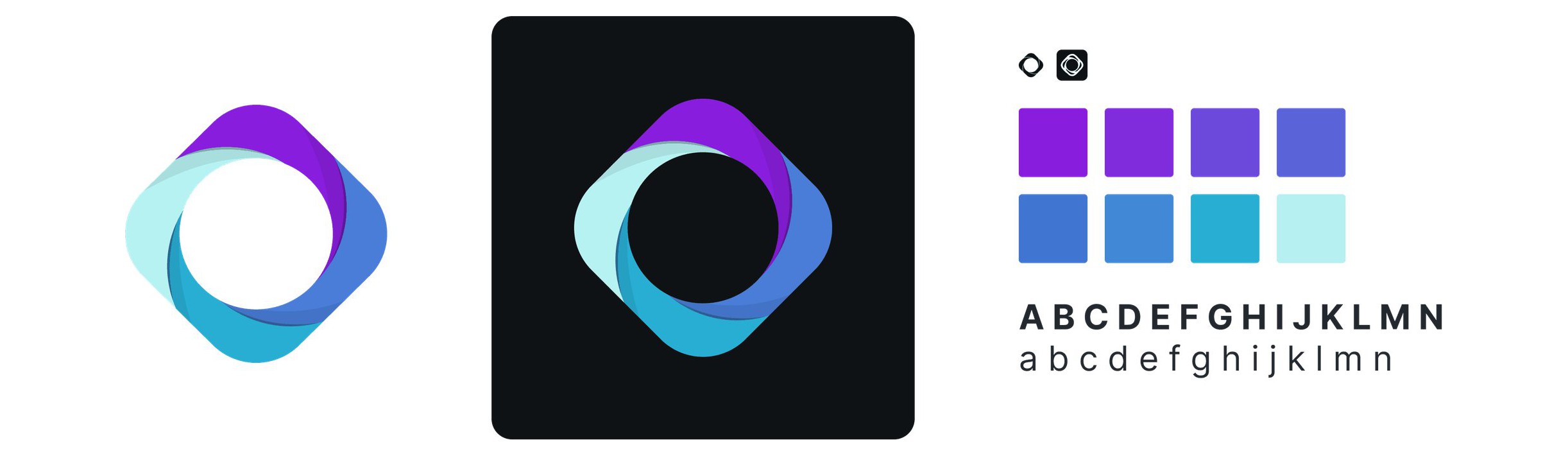
Cisco AI Assistant
As enterprise IT environments grow more complex and traditional tools fall behind, Cisco identified a critical need for a solution that helps users simplify and enhance IT operations at scale.
With a Master's in AI, I was part of a special team of 5 designers exploring directions for Cisco's first AI assistant; mine was selected for the team to build upon.
As a vast amount of complex data piles up, managing it all is impossible
For IT and security professionals, managing the endless stream of data from devices, networks, and security systems can be overwhelming. Every day, they face the challenge of sorting through massive amounts of information, despite having to make critical decisions quickly.
To uncover key pain points within our users' workflows, we teamed up with our UX Researchers.
Pain point 1: Data overload
Spammed everyday by devices, applications, networks, and security systems.
HMW help users manage the overwhelming volume of data from multiple sources to quickly identify critical information?
Pain point 2: Time-consuming manual processes
Analyzing and interpreting this data manually consumes valuable time, causing delays in decision-making and slowing down overall productivity.
HMW automate data analysis and repetitive tasks to reduce the time and effort required for decision-making?
Pain point 3: Complexity in decision-making
Among so many data points, teams risk missing important details that could affect performance or security.
HMW simplify the decision-making process by providing clearer insights from large amounts of data?
Pain point 4: Difficult policy management
Forgot the rules again, but don't want to read through technical documentation.
HMW streamline the management of complex security policies to reduce manual involvement and minimize errors?
Getting everyone on the same page
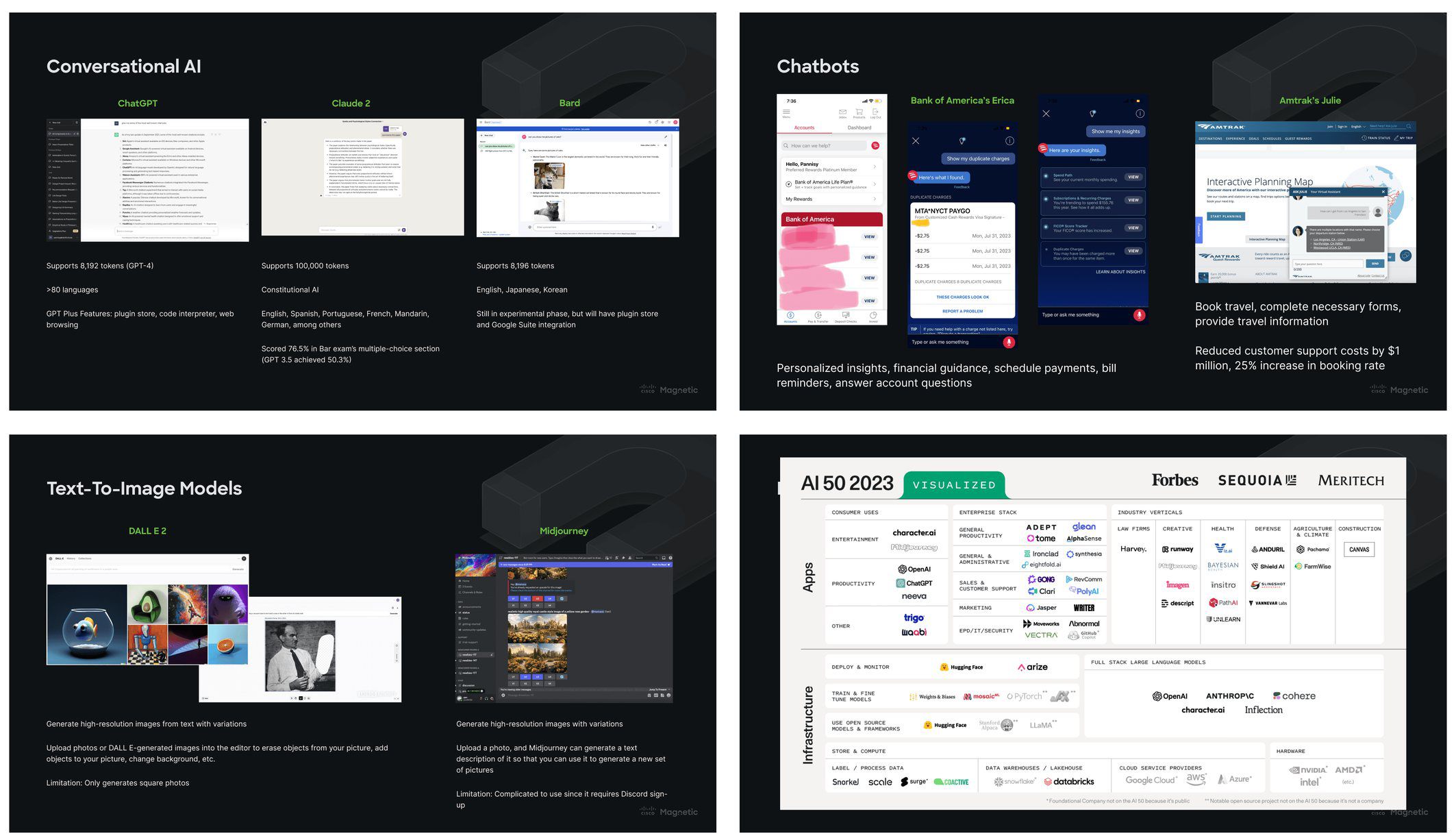
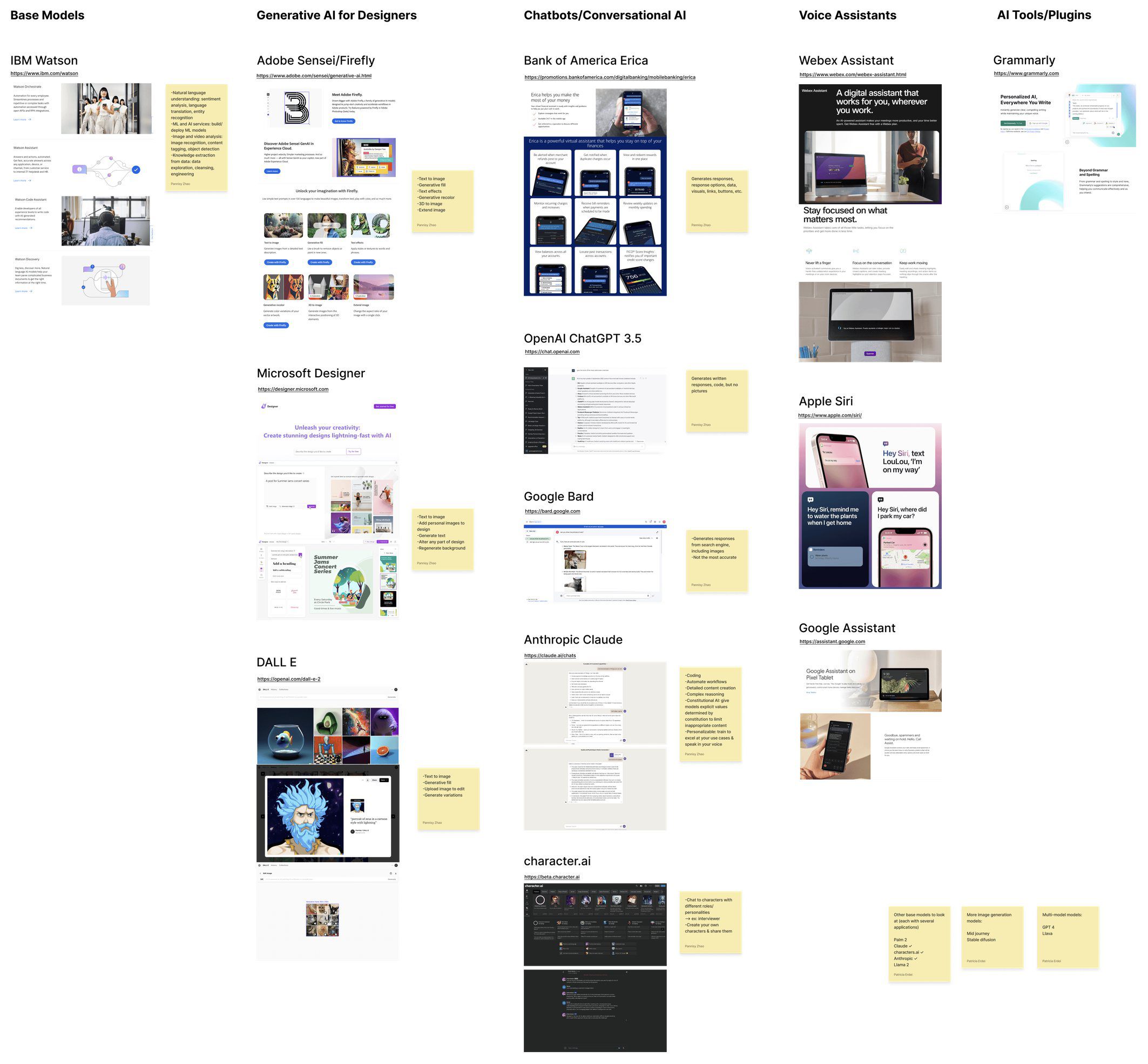
As a Master's student in AI, I quickly noticed that the team was struggling to grasp the technical aspects of generative AI, along with general confusion about the broader GenAI landscape. Recognizing the importance of understanding the underlying technology for this project's success, I took the initiative to lead and present a comprehensive competitive analysis.
I researched key models, trends, and products, distinguishing generative AI from traditional AI for our senior designers with limited AI knowledge. I provided context that shaped our design approach, especially for conversational AI, and ensured alignment with industry advancements. Key takeaways included the importance of AI-driven personalization, workflow efficiency, and staying ahead in the AI race to revolutionize user experiences.
Let's take a pause on users… what about Cisco's business goals?
The team met with stakeholders and discovered our two largest constraints:
Short Timeline: 2 weeks to prepare for design workshop presentation
Limited Budget: Aim for the most cost-efficient solution that utilizes design components we already have
Constraint 1: Tight timeline
2 weeks left until design workshop.
Constraint 2: Limited budget
Aim for the most cost-efficient solution that utilizes design components we already have.
From these constraints, we narrowed down on our most basic requirements:
Brand Identity: Create logo. Define color palette and brand attributes
Access Points & Triggers: Define where Cisco AI Assistant is accessed and what initiates the full screen or chatbot experience
AI Chatbot: Full screen landing and conversation pages, collapsed and expanded states
Optional additional interactions (with budget in mind)
Requirement 1: Brand identity
Create logo. Define color palette and brand attributes.
Requirement 2: Access points & triggers
Define where Cisco AI Assistant is accessed and what initiates the full screen or chatbot experience.
Requirement 3: AI chatbot
Design full screen landing and conversation pages, as well as collapsed and expanded states.
Requirement 4: Additional interactions
An optional opportunity to get creative, but with our budget in mind.
Anticipating the downfalls of chatbots
I conducted more in-depth research on AI chatbots, focusing on their role in user workflows, access points, and usability. However, I kept wondering if a traditional chatbot design was enough. I took it a step further to anticipate the potential issues users might have with them.
Concern 1: Bad reputation
Users often find chatbots frustrating due to their past experiences with customer service bots that involve long waits, generic automated responses, a lack of true intelligence, and ultimately being unhelpful.
HMW design a chatbot that reverses this negative bias and create a friendly experience that builds rapport with users through helpful interactions?
Concern 2: Hallucinations
A major concern with chatbots in IT and security is their tendency to hallucinate or generate incorrect information, which can be risky when critical decisions depend on accurate, reliable data.
HMW prevent chatbot hallucinations and ensure that AI provides accurate, reliable information?
At the core of these concerns is user mistrust, driven by unhelpful or inaccurate responses. While we can't fully eliminate hallucinations in current LLMs, better prompting can help. However, instead of relying on users to provide context, I aimed to design a more immersive, context-aware AI experience for the Cisco platform, reducing the need for user input and enhancing response quality. Hence, my direction name: Immersive AI.
User-first, value-second
We collaborated with our UX researchers again to gather opinions from Cisco cybersecurity specialists regarding AI integration into their workflows. These insights informed our guiding philosophy.
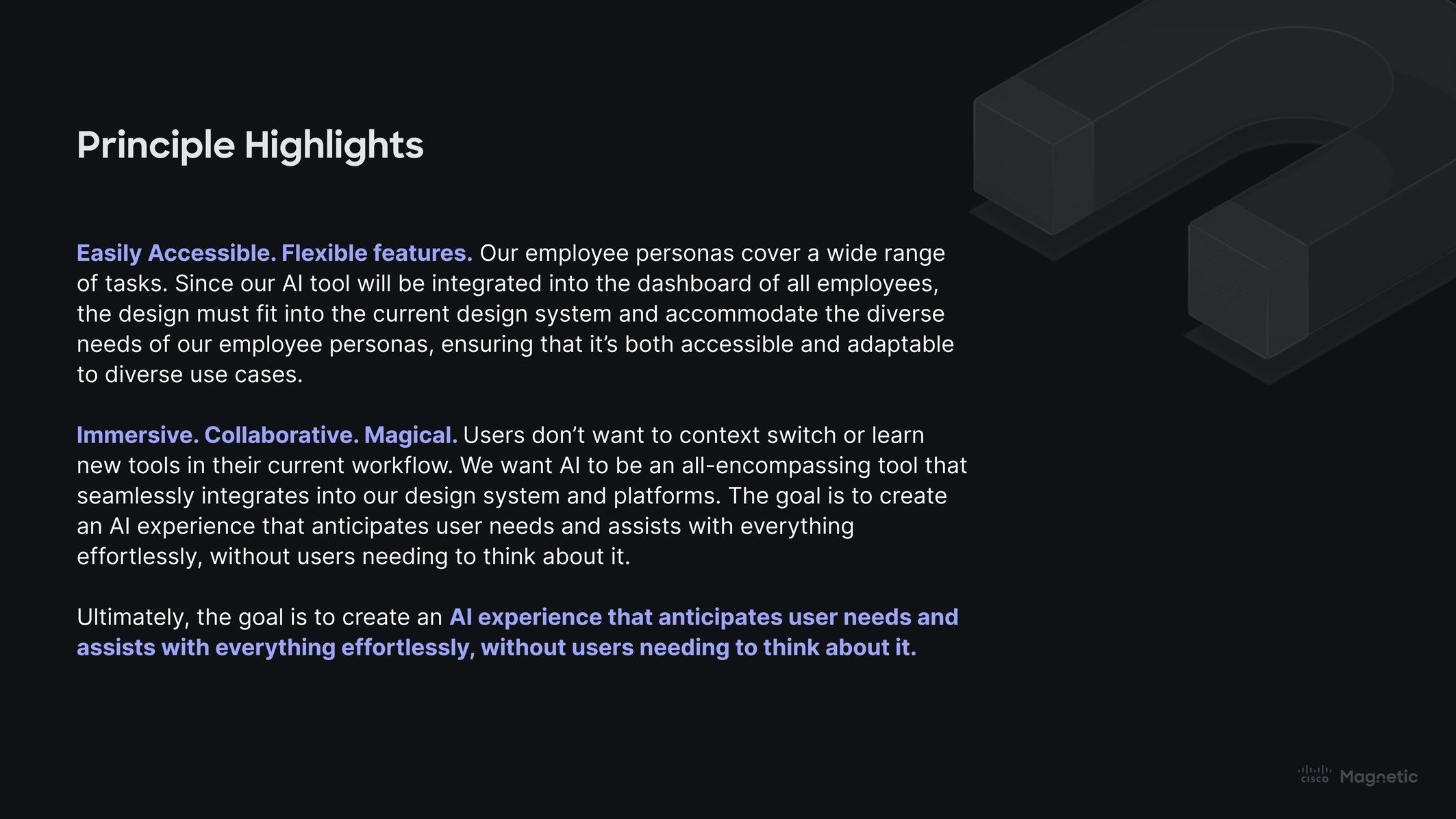
Mapping the magic, from concepts to clicks
Operating with preset requirements, I focused my concept explorations on form, triggers, access points, and states. The final system prioritizes universal, easy access. I mapped out the key interactions, requirements, and user flow, providing a clear visual foundation which I validated through other designer feedback.
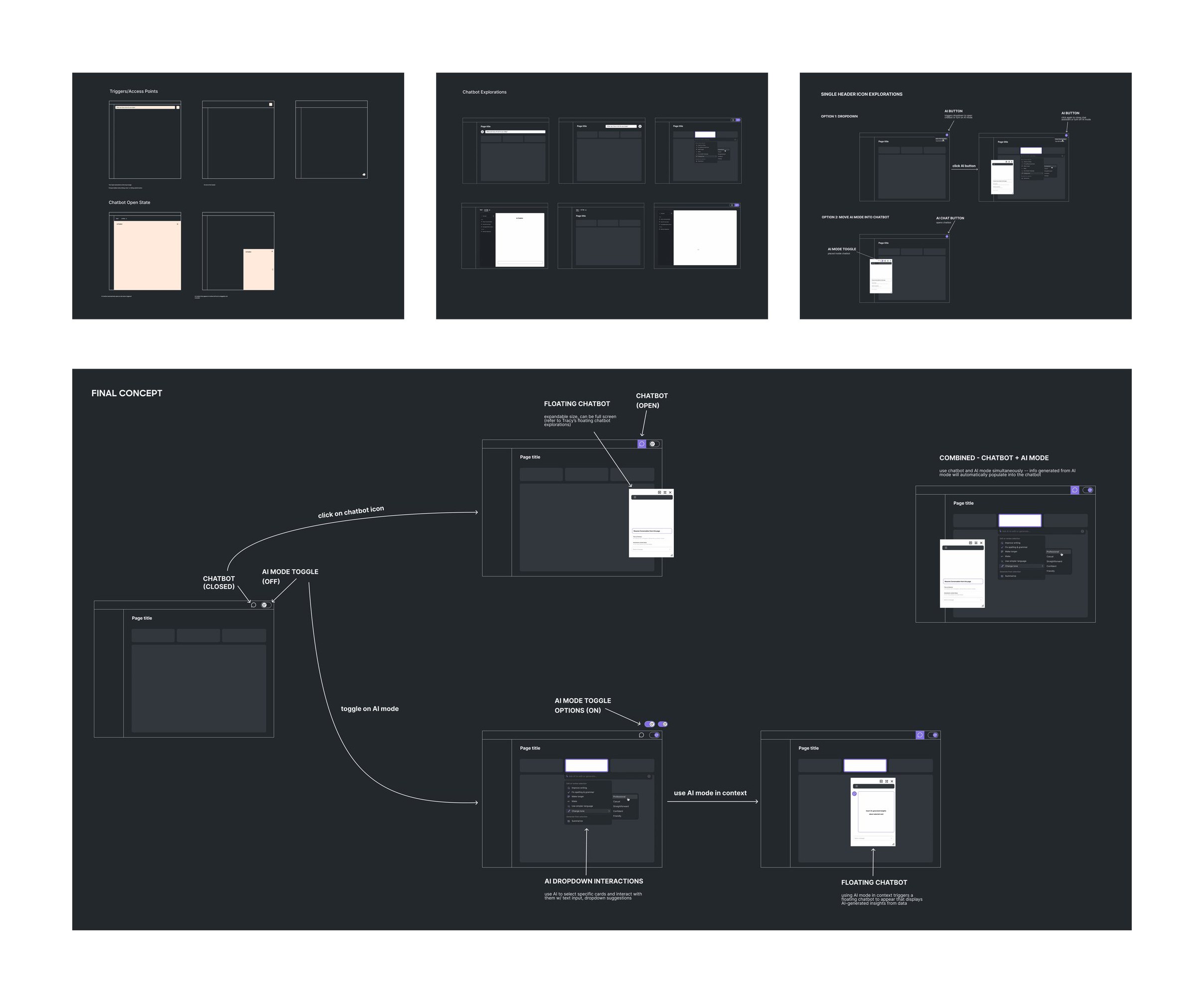
Rapidly iterating
Through seven iterations over two weeks, I collaborated closely with other designers in jam sessions and consistently sought feedback. This collaborative approach allowed me to rapidly refine the user flow and visuals, ensuring the final design was both well-rounded and aligned with our project objectives.
Fueled by feedback
At the design workshop, I presented my direction to stakeholders and collected feedback. Here are a few highlights and considerations:
“Placement: Adding it right into the bar and located in such a prime location, it would be hard to miss. It feels like part of the overall ecosystem, yet is distinctive enough to stand out on its own.”
Ileana Maleschuk
“[Regarding the logo,] Nice colors, shape's great too. I have a bit of concern seeing this logo in a monotone color.”
Edvard Gezin
“Like the turning ‘ON’ the AI mode. It gives control to the user as well as makes the immersive AI capabilities explicit.”
Rakesh Sharma
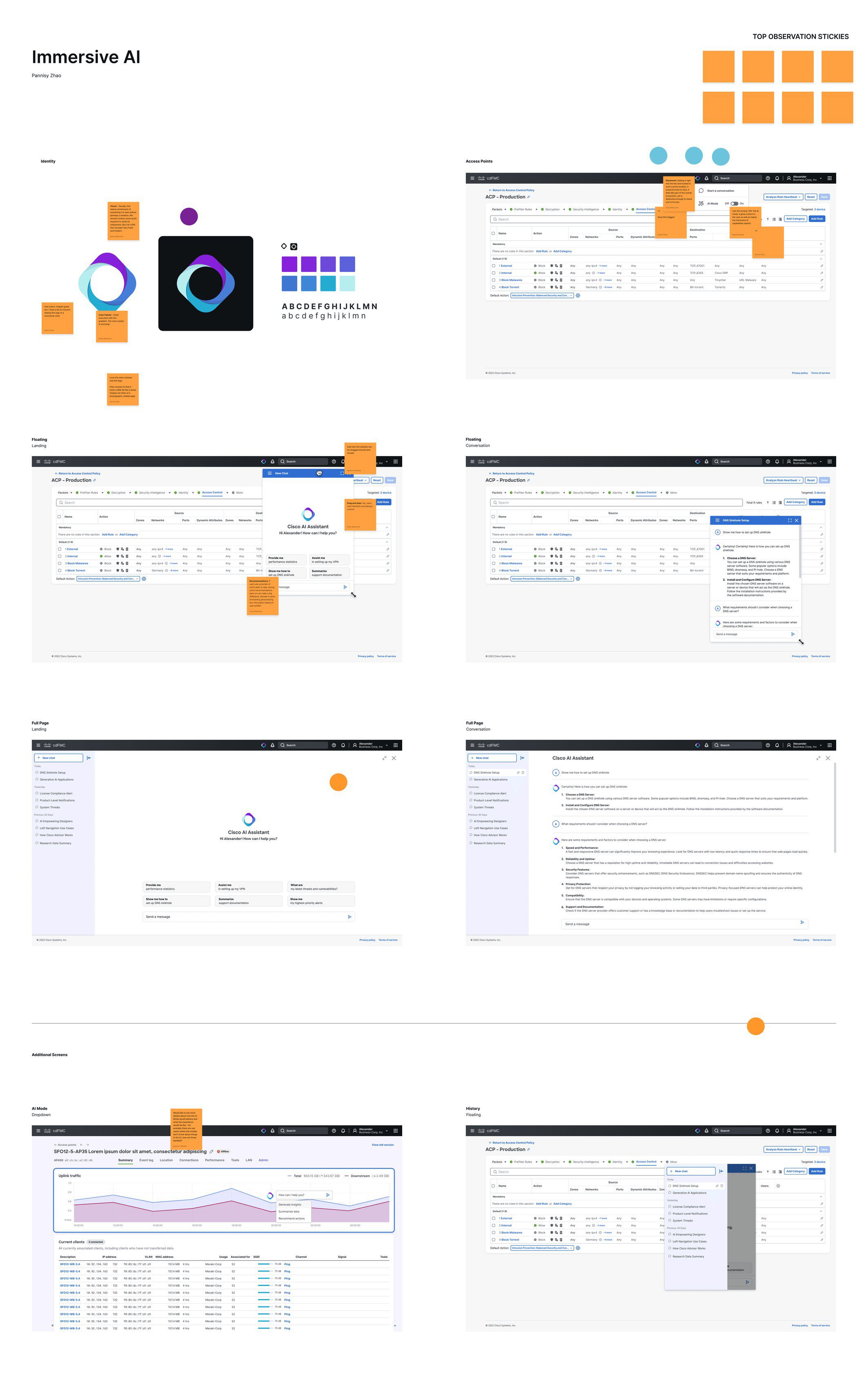
Universal access to AI capabilities
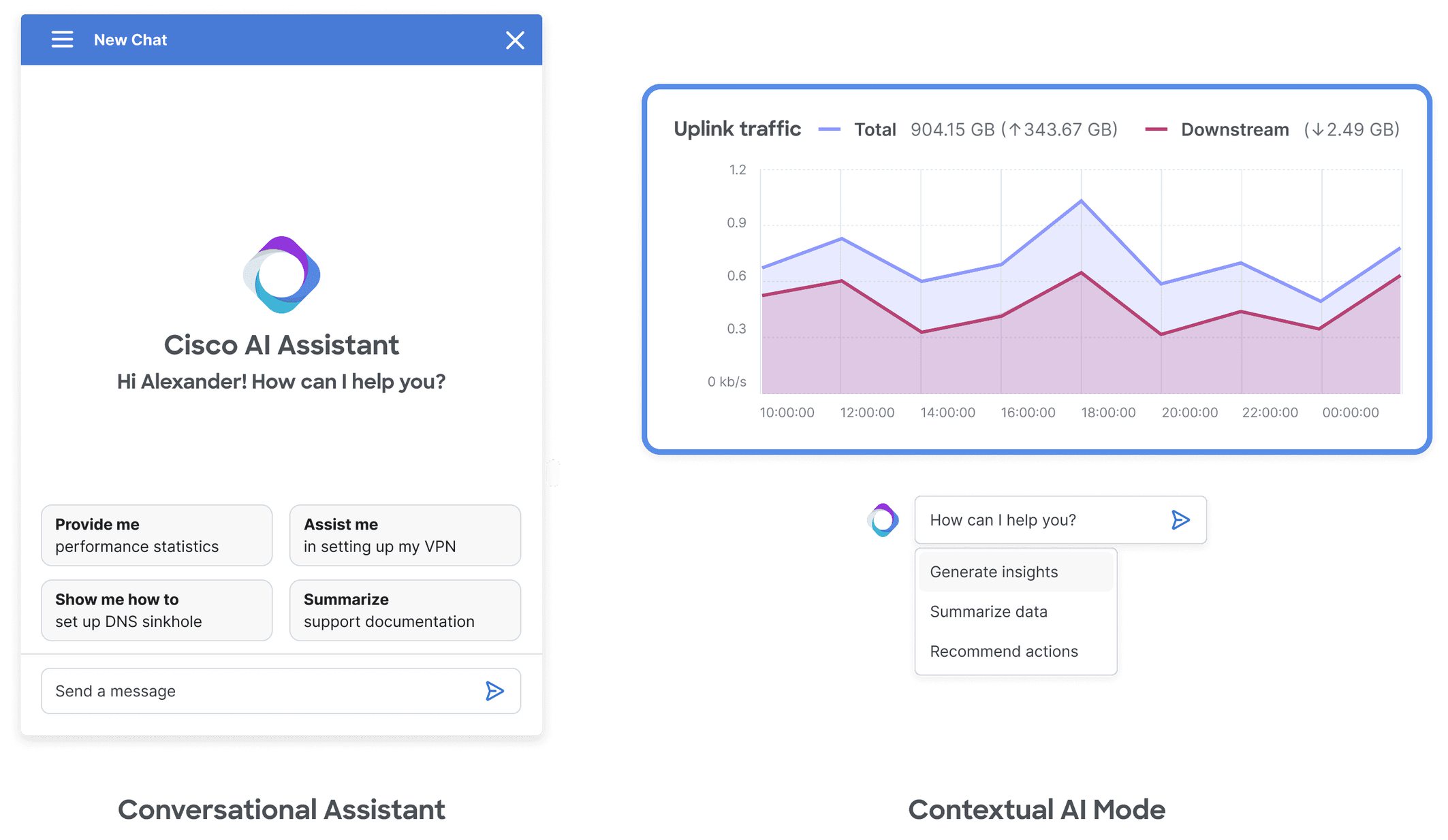
The header icon offers a universal entry point to AI tools, accessible from any page. A simple click expands it into a dropdown menu with action items, making it easy to integrate future AI features while ensuring consistent access across the platform. This design keeps AI functionality right at users' fingertips, boosting both engagement and efficiency.
You're working. Suddenly need AI? Help is always in the header.
Immersive, contextual assistance
Tired of prompting and providing context? Turn on AI Mode.
Contextual AI Mode enhances productivity by enabling users to interact directly with content. Simply click on any card and ask Cisco AI for tailored information, whether through open-ended questions or dropdown suggestions, all without disrupting your workflow. The chat interface is triggered by any prompt, and responses auto-populate seamlessly. This feature provides targeted insights on demand, driving efficiency and deepening user engagement without breaking the flow of work.
Flexible and adaptable support
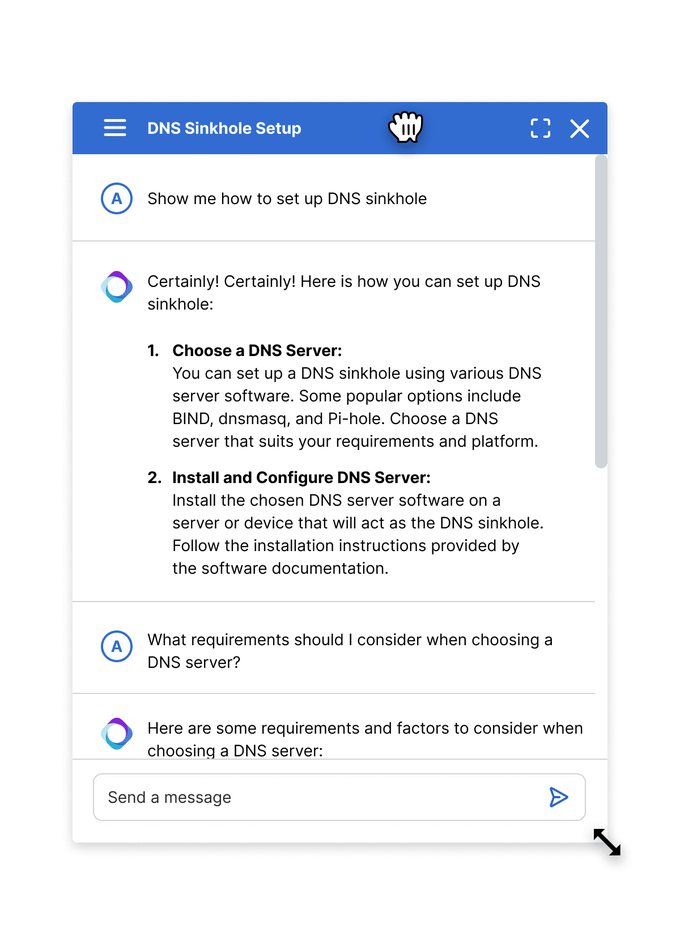
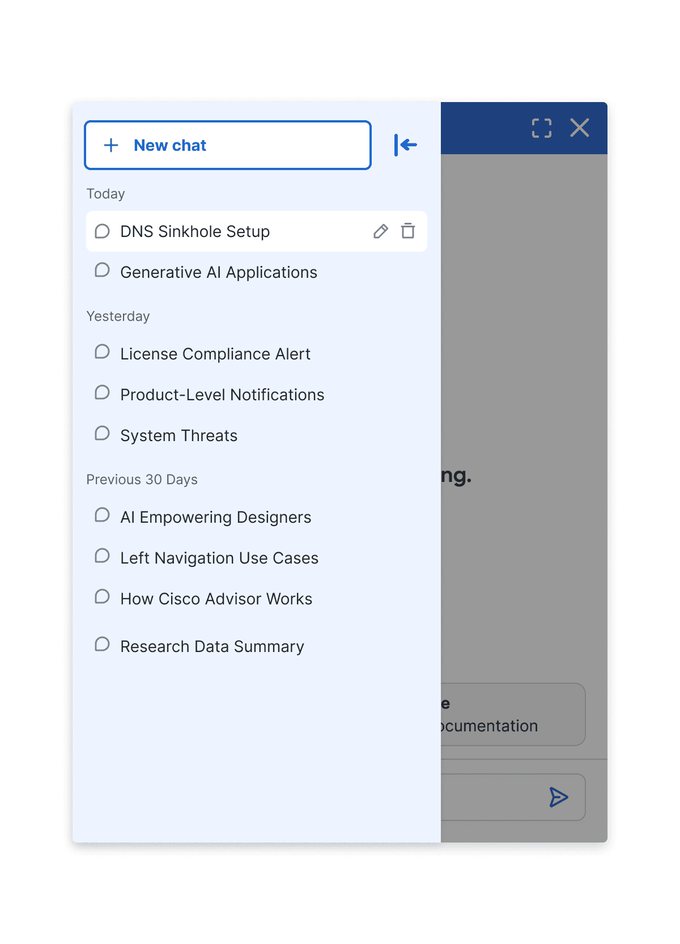
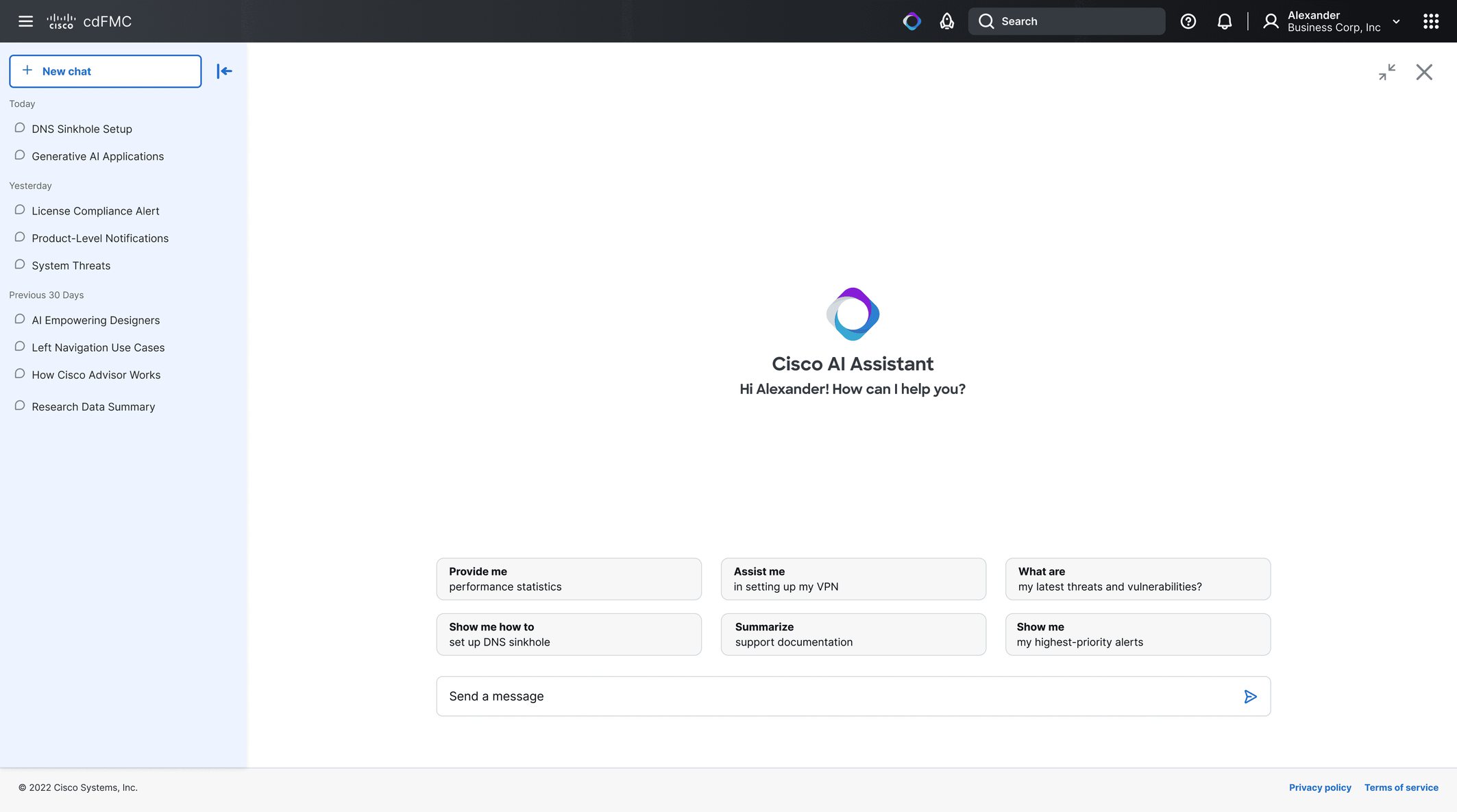
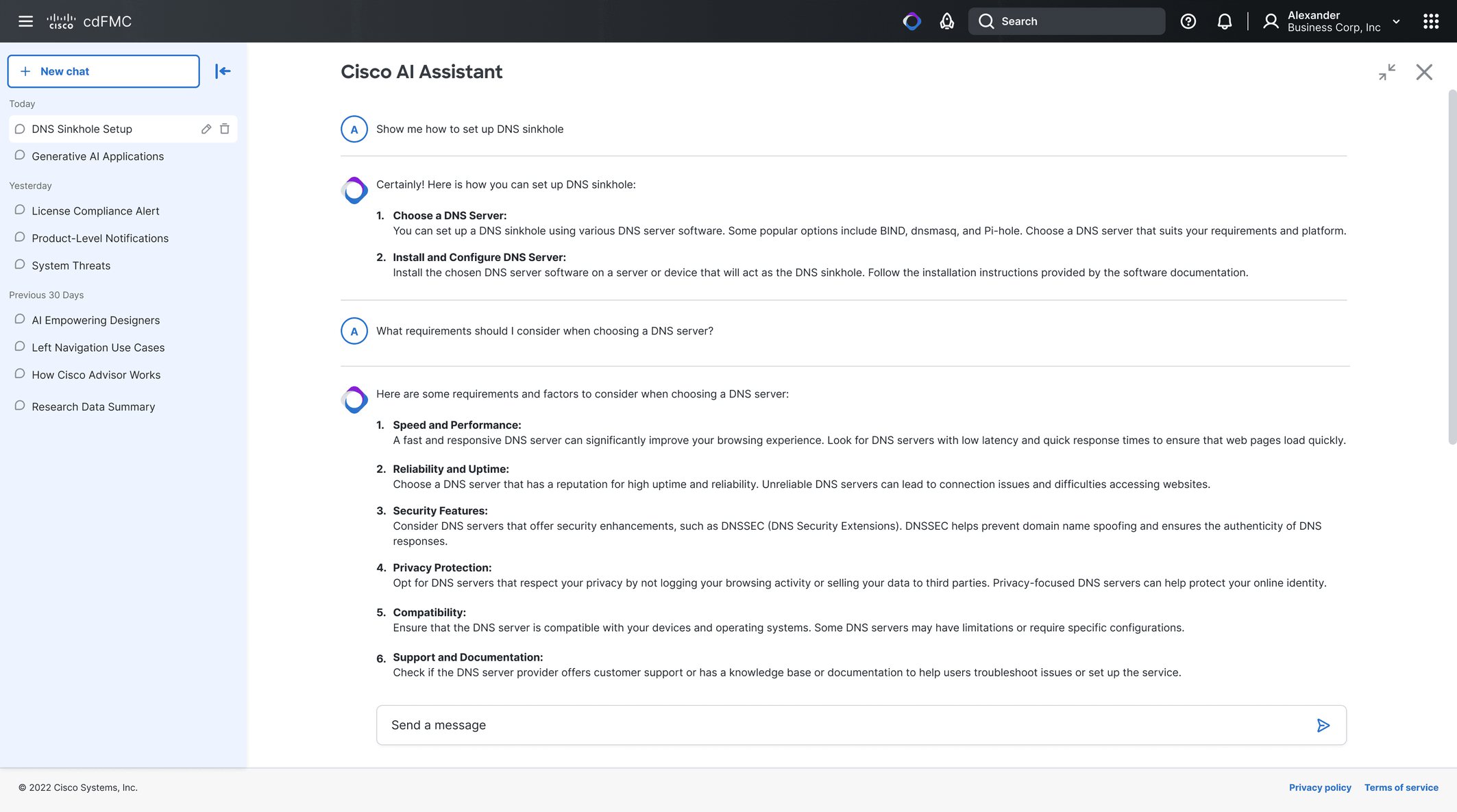
Cisco AI Assistant adapts to user needs with two modes: floating and full screen. In floating mode, it hovers over the current page, allowing users to access help without disrupting their workflow. Fully draggable and resizable, it can easily expand to full screen for more in-depth interactions, ensuring flexible and responsive support that enhances productivity.
No more frustrating toggling between your working page and ChatGPT.
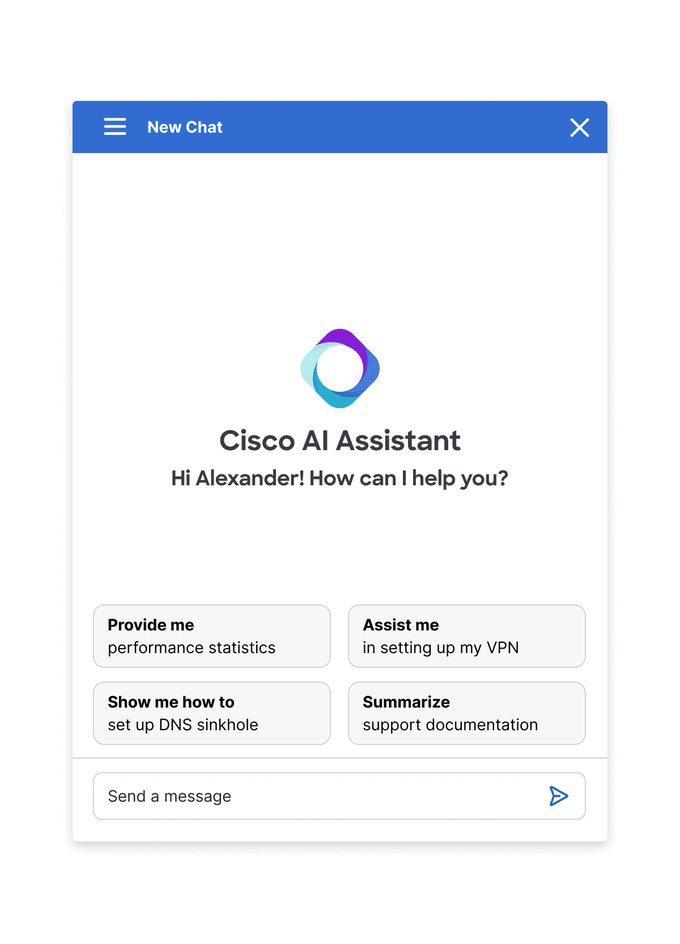
Brand identity
The logo blends collaboration and magic with an interconnected sparkle design that incorporates Cisco’s trusted blue and a hint of purple to signify AI. A gradient featuring the Magnetic design system's interactive blue ensures seamless integration across all platforms.
Here to help, reduce cognitive load, and not break anything.